Download JAR
Get the latest Goobaa
.jar
from the configured release asset.
The Best DonutSMP Client
80+ powerful modules. Optimized for DonutSMP. Free download for Fabric 1.21.11.
 GOOBAA CLIENT
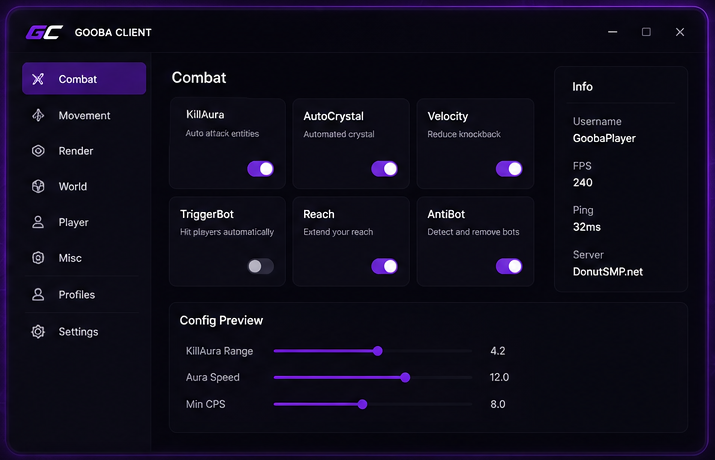
Powerful features with a focus on performance, utility, and usability.
Goobaa keeps useful information close while keeping the interface out of your way. The client preview uses the supplied Goobaa artwork so the site feels like the product it represents.
Download the JAR, set up Fabric, then launch Minecraft with Goobaa in your mods folder.
Get the latest Goobaa
.jar
from the configured release asset.
Install Fabric Loader and Fabric API for Minecraft 1.21.11.
Fabric installer →
Place Goobaa in your
.minecraft/mods
folder and launch the matching Fabric profile.
Goobaa is built for the Fabric ecosystem, so you can use the launcher setup that works best for you.
Quick answers for getting Goobaa Client installed and running.